

You don’t need to be a software engineer to benefit from the AI revolution. In fact, by 2026, the most powerful technology is designed specifically for people who hate complex manuals and coding. If you can use a smartphone, you can use every tool in this guide to reclaim hours of your life every week.
Mastering AI tools for non-tech people 2026 is about one thing: asking for help. Whether you are a student, a retiree, or a busy parent, these assistants act as a second brain. In this guide, we will break down the top tools for productivity, health, and home life that require zero technical skills. You’ll learn how to set them up in minutes and, most importantly, how to stay safe while using them.
The State of AI for Beginners in 2026
In previous years, using artificial intelligence felt like learning a new language. You had to master “prompts” and understand “tokens.” However, according to Forbes, AI interfaces in 2026 have shifted entirely to “Natural Conversation.” This means the computer now works hard to understand you, rather than you working hard to understand the computer.
For a non-tech person, this is a game-changer. You can now speak to your devices in plain English, Spanish, or Hindi, and they will execute complex tasks—like fixing a slow computer or planning a vacation—without you ever touching a line of code.
Top 3 Writing Assistants for Daily Tasks
Writing is often the most stressful part of our digital lives. Whether it’s an insurance claim, a school essay, or a polite complaint to a landlord, these tools handle the drafting for you.
- ChatGPT (The All-Rounder): ChatGPT remains the easiest entry point. Think of it as a very fast intern. You can ask it to “write a 300-word apology email to my neighbor for my loud dog,” and it will produce a perfect draft in seconds.
- Claude (The Human Voice): Claude is famous for having a “warmer” tone. If you feel like ChatGPT sounds too much like a robot, Claude is your best choice for writing heartfelt letters or personal blogs.
- Perplexity (The Fact-Checker): Instead of scrolling through pages of Google ads, Perplexity reads the internet and summarizes the answer with links to the original sources.
Pro Tip: Use the “Voice Mode” on these apps. Talking to the AI is often 5x faster than typing and helps the AI understand your “vibe” and tone better.
AI for Personal Finance and Budgeting
Managing money can be overwhelming, but AI has made smart strategies to pay off debt faster accessible to everyone. You no longer need complex spreadsheets to track your spending.
| Tool | Best Feature | Replaces |
|---|---|---|
| Cleo | “Roasts” your spending habits | Budgeting spreadsheets |
| Rocket Money | Finds hidden subscriptions | Manual bank statement reviews |
| Wally | AI-driven savings goals | Traditional banking apps |
Creativity Without the Learning Curve
One of the most exciting benefits AI provides is the ability to create art and design. You don’t need to know how to draw to create a beautiful digital art concept or a holiday card.
- Open an Image Generator: Like Midjourney or Nano Banana 2.
- Describe the Vibe: Type “A cozy living room with a fireplace, 1970s aesthetic, sunset light.”
- Refine: If it’s not perfect, just say “make it more modern” or “add a cat.”
Using AI for Wellness and Healthy Living
Wellness is about more than just apps; it’s about making better daily choices. According to Healthline, consistency is the key to any health goal. AI helps you stay consistent by removing the “decision fatigue” of what to eat or how to move.
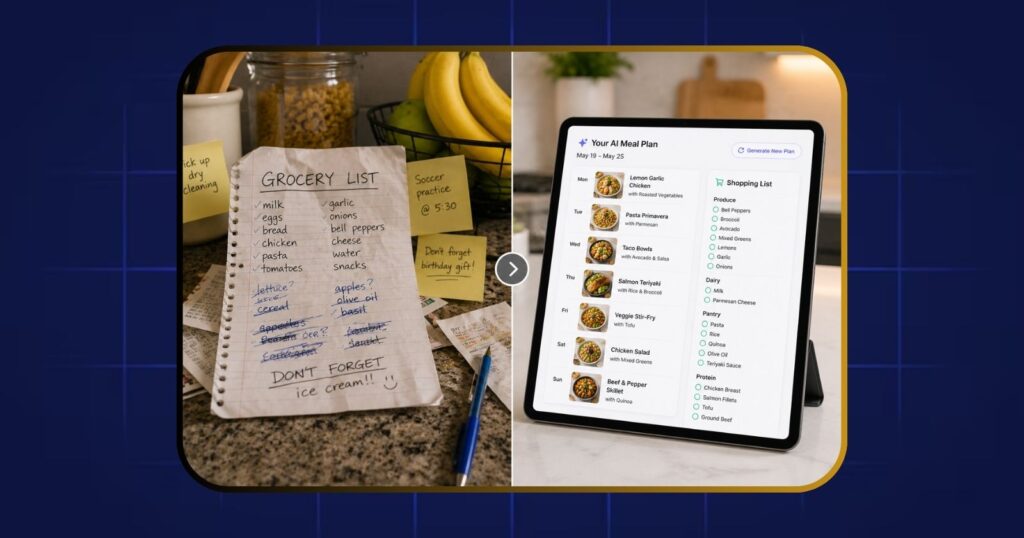
- Meal Planning: Use AI to generate a shopping list based on your health goals.
- Exercise Comparisons: If you aren’t sure about equipment, you can ask for a comparison between a walking pad and a treadmill to see which fits your home.
- Natural Remedies: Ask your AI for the best way to prepare herbal drinks to supplement your wellness routine.
The Home Assistant: AI for Physical Chores
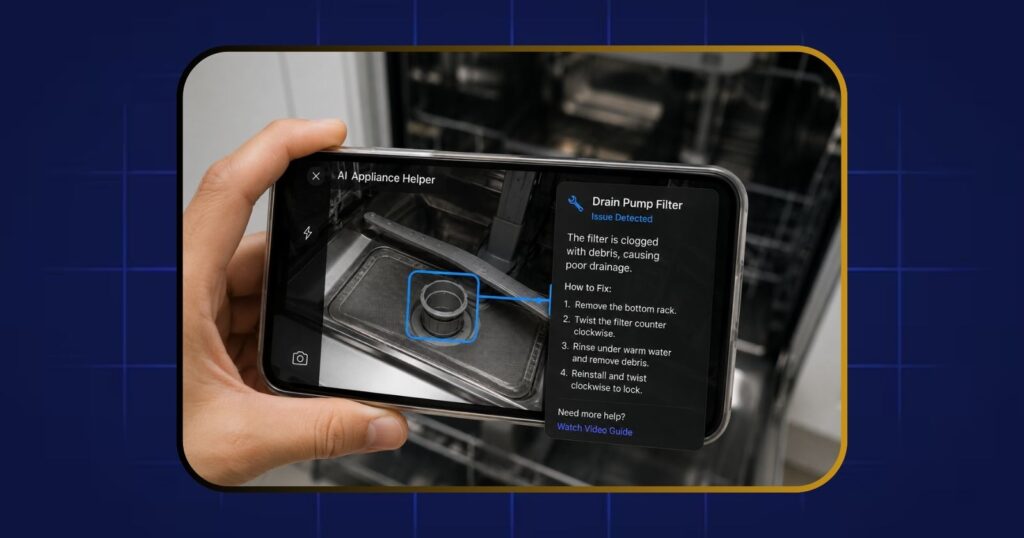
AI isn’t just for your screen; it’s for your house. Using AI for home maintenance is like having an expert that talks back. Instead of watching a 20-minute video to find one answer, you can show your AI a photo of your broken dishwasher and ask, “What part is missing?”
Privacy Checklist for Non-Techies
You don’t need to be a cybersecurity expert to stay safe. Follow these safety rules:
- The Stranger Rule: Never tell an AI your passwords, bank pins, or SSN.
- Toggle Off: Go to settings and look for “Improve the model for everyone.” Turn it OFF.
- The 24-Hour Rule: If you are discussing something sensitive, use “Temporary Chat” modes that delete the history immediately.
You may also like
12 Best Free AI Tools for Everyday People – 2026 Guide
Frequently Asked Questions
Is it too late to learn AI in 2026?
Absolutely not. In fact, 2026 is the easiest time in history to start. Earlier versions of AI were clumsy and required specific “prompts.” Today, they are designed to meet you where you are.
Will these tools cost me a lot of money?
No. Most of the best tools offer massive free versions. While “Pro” versions exist, the average person will never need them for everyday tasks.
Is my data private when I use these tools?
Data privacy is a valid concern. Most reputable AI companies have clear privacy settings. You can usually choose to have your conversations deleted after 24 hours.
Conclusion
The world is changing, but you don’t have to be a tech genius to stay ahead. By using these AI tools for non-tech people 2026, you are giving yourself the gift of time and clarity. Start small: download one app today and ask it for a simple recipe or a gift idea.